

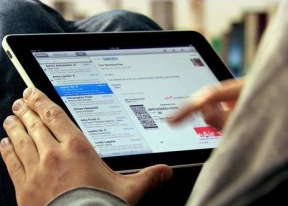
 This week’s tablet business apps round-up comes with an impressive list of business-oriented apps, both for the iPad and Android tablets. As tablets gain more and more traction among consumers, the technology also gains momentum in the (virtual) office, and the following apps demonstrate just how big this segment has become.
Android
The recently released McAfee WaveSecure Tablet edition for Android devices is still in beta, but represents an important milestone for Intel, who acquired McAfee, and its goals around mobile security. Plus, the software has some very cool features.
WaveSecure for Tablet Beta uses WiFi for operations, and comes with remote locating / wipe, options, screen lock, the ability to post a full screen message on a device without an SMS plan or Google Voice account, backup, restore and more.
Wyse PocketCloud Pro for Android tablets lets you access a remote Windows PC, Mac, Virtual Desktop or TS via WiFi or 3G and 4G networks. Also available for the iPad.
Citrix Receiver is another remote desktop software. The virtualization giant’s app is available for Android tablets, the iPad and recently launched for the webOS-running HP TouchPad. The enterprise-centric app delivers computing-as-service, and access Windows programs and data in a corporate XenApp or XenDesktop environment.
iPad
The SaaS company’s mobile for the iPad is also available for the BB PlayBook, and allows users to access all their Salesforce data, log phone call and meeting data right after they take place and receive / respond to new leads as they come in.
Documents To Go Premium – Office Suite
Documents To Go Premium – Office Suite for the iPad by DataViz lets users edit Office 2007-2010 Word, Excel and PowerPoint files. Users can view iWork, Google Docs and PDFs and sync ropbox, Box.net, iDisk & SugarSync files. Documents to Go got the PCMag Editor’s Choice Award, which probably means it’s a fairly handy tool despite of some missing editing options.
Support our mission to keep content open and free by engaging with theCUBE community. Join theCUBE’s Alumni Trust Network, where technology leaders connect, share intelligence and create opportunities.
Founded by tech visionaries John Furrier and Dave Vellante, SiliconANGLE Media has built a dynamic ecosystem of industry-leading digital media brands that reach 15+ million elite tech professionals. Our new proprietary theCUBE AI Video Cloud is breaking ground in audience interaction, leveraging theCUBEai.com neural network to help technology companies make data-driven decisions and stay at the forefront of industry conversations.