
 NEWS
NEWS
NEWS
NEWS
NEWS

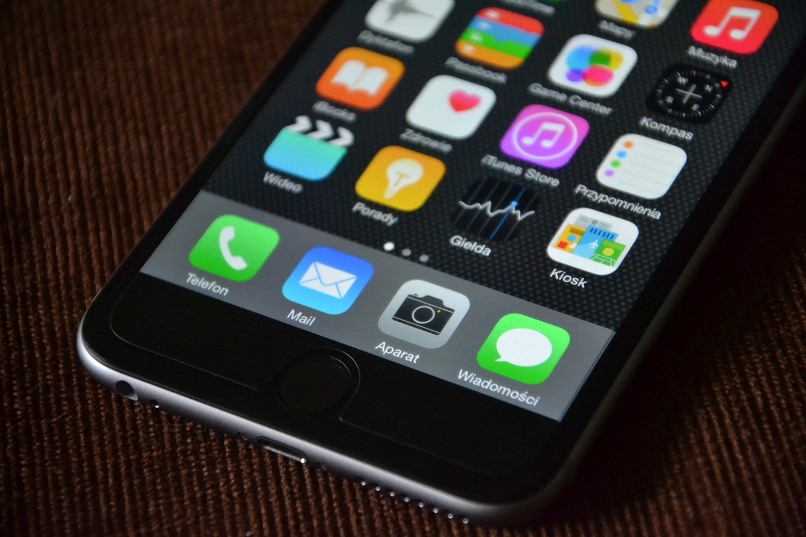
If the built-in Mail app on your iPhone just doesn’t crack it when managing your full-to-capacity inbox then there are plenty of alternative email apps that will allow you to get on top of things.
While there are plenty of alternatives out there, we are going to look at just five of the most popular ones, including Spark, Airmail, Inbox by Gmail, CloudMagic and Microsoft Outlook.
Spark is a smart, customizable inbox that allows you to sort through your large amounts of email quickly and easily. The inbox will automatically detect whether an email is a newsletter or personal and groups them by type, placing personal emails at the top of your inbox so you can deal with your priority emails first. Swiping an email will allow you to delete or archive it.
In the Spark app you can also pin emails for ones you need to complete today, simply swipe to archive it when you are done or swipe to snooze it if you can’t get to it today.
With a tap, you can send a quick reply to an email using the relevant button, including ‘Like’, ‘Thanks’ or ‘Smile’, shown at the bottom of all your emails. For a longer reply, you can dictate your message.
Other features for Spark, includes the ability to swipe between different signature options to find the relevant one to suit your particular email. Spark integrates with Google Drive, Dropbox, Box, OneDrive, Readability, Pocket, Evernote and OneNote. Smart Search allows you to find specific emails using natural language, i.e. type ‘attachments from John last month.’
Download Spark for free from the App Store.
Airmail for Mac has been around for a few years now, but last month an iOS version was released. Airmail offers support for Gmail, Exchange, IMAP and POP3 accounts. It also supports 3D Touch available in the iPhone 6s and 6s Plus.
You can set up various swipe actions, like deleting, archiving, adding it to a to-do-list, so you can quickly deal with emails in your inbox. Swipe actions will also allow you to Snooze emails for hours, days, weeks or longer. They will disappear from your inbox and reappear at the specified time.
Airmail also has one-tap filter options allowing you to sort your email by Unread, Attach, Threads, Today and Smart (only shows emails from your contacts).
Read our article for further details on how to get started with the Airmail app.
Download Airmail for $4.99 from the App Store.
Inbox by Gmail will bundle similar messages and with a quick swipe, you can get rid of them all at once. The Highlights feature of Inbox allows you access to important information, like shipping information for purchases, flight check-ins etc. without opening the app.
Like the previous two email apps, you can also snooze emails and reminders and deal with them at a later time or date.
One drawback though of Inbox is the fact that there is no unified inbox. So if you have multiple accounts then this one may not be for you.
Read our article about how you can share your Trip Bundles with family and friends.
Download Inbox by Gmail for free from the App Store.
With 3 million users, CloudMagic offers its users a unified inbox packed with functionality. Connect directly to your favorite productivity apps like Wunderlist, Todoist, Evernote, OneNote, Trello and more. CloudMagic also allows you to protect your emails using a Passcode lock, and the ability to remote wipe your data if your device gets lost or stolen.
Works with Gmail, Google Apps, Exchange, Outlook, Office 365, Yahoo, iCloud and all IMAP accounts. You can also attach files from Google Drive, Dropbox, iCloud Drive and others.
Download CloudMagic for free from the App Store.
Microsoft Outlook works with Microsoft Exchange, Office 365, Outlook.com (including Hotmail and MSN), Gmail, Yahoo Mail, and iCloud. Outlook offers iOS users a Focused inbox that will display the most important emails first and the more you use it the smarter it will become in determining which are most important.
In addition, Outlook also allows for swipe gestures so you can easily delete, archive or schedule any of your emails. With smart filters, you can easily find a specific email in your inbox.
If you receive a Word, Excel or other Office document as an attachment, you are able to edit them and resend them in the original email. Outlook for iOS also allows you to multitask on your iPad with Split View support in iOS 9.
Download Microsoft Outlook for free from the App Store.
Support our mission to keep content open and free by engaging with theCUBE community. Join theCUBE’s Alumni Trust Network, where technology leaders connect, share intelligence and create opportunities.
Founded by tech visionaries John Furrier and Dave Vellante, SiliconANGLE Media has built a dynamic ecosystem of industry-leading digital media brands that reach 15+ million elite tech professionals. Our new proprietary theCUBE AI Video Cloud is breaking ground in audience interaction, leveraging theCUBEai.com neural network to help technology companies make data-driven decisions and stay at the forefront of industry conversations.