












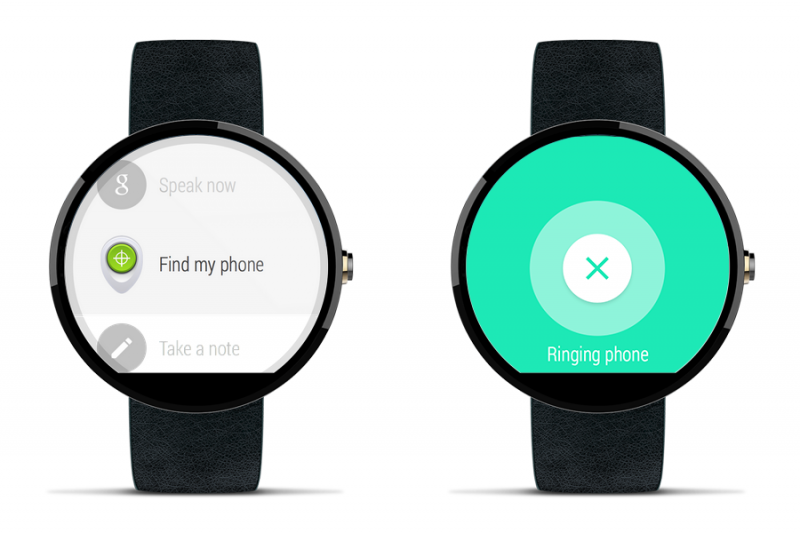
 Google has announced an update to Android Device Manager to include support for Android Wear smartwatches. Using your Android Wear smartwatch, you will be able to quickly and easily locate your lost or stolen device.
To locate your lost phone from your wrist, you can select the “Find my phone” option in the Start menu or alternatively you can say “OK, Google. Start. Find my phone.” Your device will then start ringing at full volume and, if it is within hearing distance, you’ll be able to find your phone.
Since launching Android Device Manager in August 2013, Google has managed to reunite almost 30 million users with their lost or stolen devices. Using Android Device Manager, users are able to track the location of their devices on a map, make them ring, lock or securely erase the data on their Android device.
Available for devices running Android 2.2 Froyo and above, you can download Android Device Manager from Google Play or access it on Google.com.
It won’t be necessary for users to download an update for their smartwatches. The feature is not available on all Android Wear devices yet but will be rolling out over the next few weeks, according to the official Android blog.
Support our mission to keep content open and free by engaging with theCUBE community. Join theCUBE’s Alumni Trust Network, where technology leaders connect, share intelligence and create opportunities.
Founded by tech visionaries John Furrier and Dave Vellante, SiliconANGLE Media has built a dynamic ecosystem of industry-leading digital media brands that reach 15+ million elite tech professionals. Our new proprietary theCUBE AI Video Cloud is breaking ground in audience interaction, leveraging theCUBEai.com neural network to help technology companies make data-driven decisions and stay at the forefront of industry conversations.