 NEWS
NEWS
NEWS
NEWS
NEWS

When given the opportunity to test out Playbulb by MiPow Ltd.’s products, I couldn’t pick just one. Their tempting lineup of smart, color light bulbs includes one with a speaker, a solar-powered lamp for outdoors, and a candle. This is all in addition to their regular Color smart light bulb (the Rainbow) with custom hues and several effects.
Fortunately Playbulb let me play with all four.
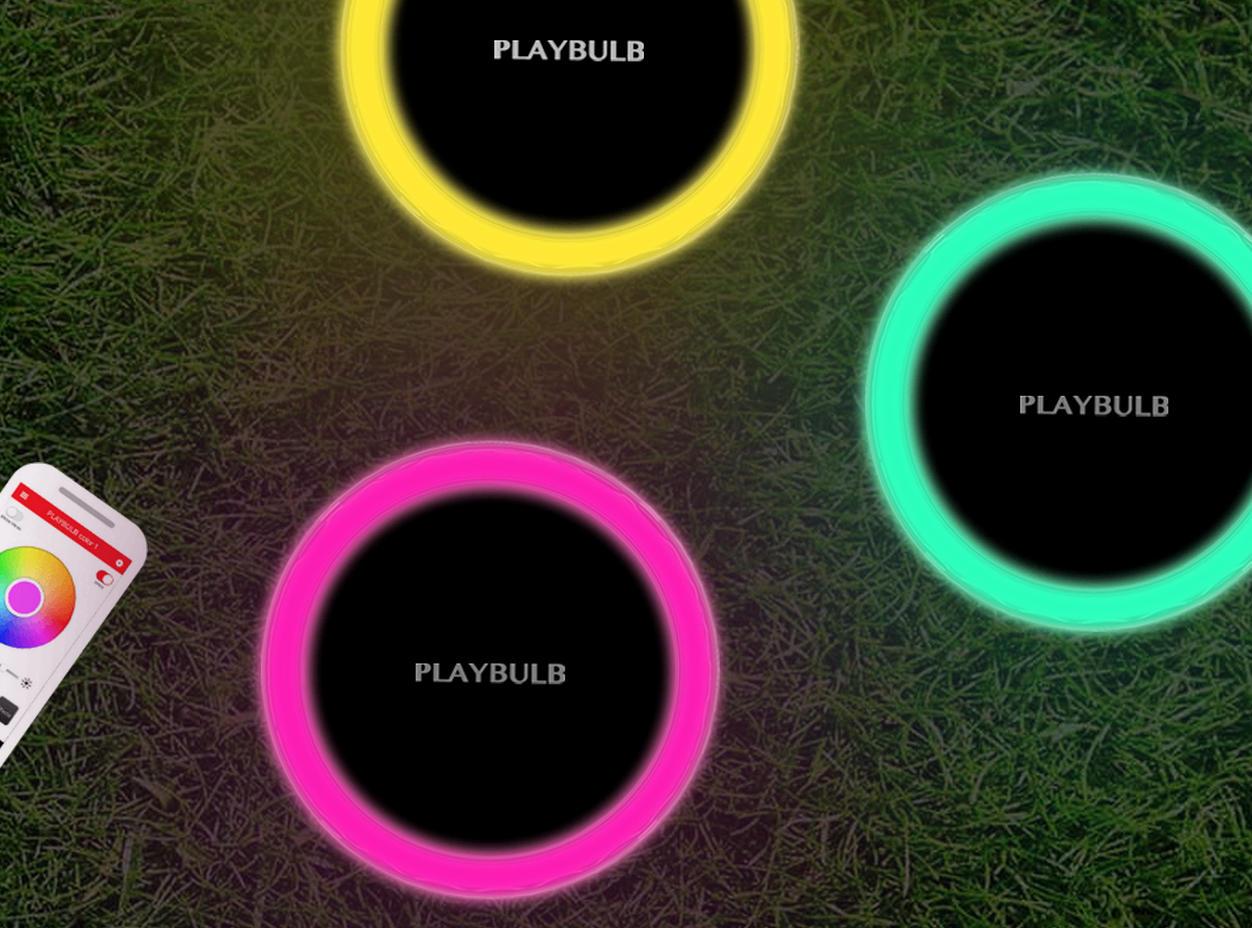
Released this summer, the Playbulb Garden is the newest in the bunch (see our original coverage here). As mentioned above, it’s solar-powered and comes with a 650mAh lithium ion battery that will last up to 20 hours on a full charge. A sensor detects ambient light to automatically turn the lamp on when the sun goes down.
It’s sensibly designed to be water resistant, and comes with an attachable stake for inserting the lamp into grass. I appreciate that the Garden lamp can be placed flat on a surface or driven into the ground, offering some versatility regarding where and how this smart light is used.

Playbulb Garden
Garden is certainly made for parties, with five lighting effects that pulse, flash, flicker and rotate the lamp colors. These effects are controlled by the lamp’s accompanying smartphone app via Bluetooth connection (iOS | Android).
In fact, all of Playbulb’s hue-happy lights are ready to party, especially the Playbulb Color LED light. It comes with a speaker that operates as any other Bluetooth speaker, and it doesn’t sound half bad either (once you put the shade on the lamp). Specs for the Color bulb include 3W RMS speaker power and 50-60Hz of voltage.
This was my first time experiencing a smart light bulb that doubled as a speaker, and I truly love having the option of playing music from nearly any lamp in my house. Playbulb tells me up to five Color bulbs can be controlled at once.
Being Bluetooth-connected, Color can play music from any app on your smartphone, from Apple Music to Spotify. The Playbulb app can also pull directly from your device’s music library, in my case iTunes. I don’t have much music there, I’m more of a Pandora girl. There’s no microphone on the Color bulb, so while you’ll hear phone alerts through its speaker, you won’t be able to take phone calls.
Playbulb Rainbow is just like the Color bulb, without the speaker.
That leaves the Playbulb Candle, which is brilliantly designed to mimic a modern tealight candle holder that adjusts color for any setting. Flip the device upside down and it becomes a real tealight candle holder with a custom-color base. Better yet, the Candle is wireless and battery operated, running off three AA batteries. Using the candle four hours a day will get you 60 days of smart candlelight.
Candle comes with some notably unique features, including an embedded lavender chip for aromatherapy (I’m wondering if this is different from the diffuser ring that came with the packaging), and the ability to turn off the light as you would a real candle-by physically blowing on it. Group several Candles together and the Blow-Out option can be applied to multiple candles by blowing on just one.
The bulbs are pretty straight forward and all feature similar effects, so my review will be based primarily on the Playbulb app and overall experience.
Being Bluetooth connected, pairing the devices with the app was as easy as pulling up my iPhone Settings to hit “connect” for each Playbulb device under the Bluetooth menu. Getting started with the app, however, is a little slower.
While the Playbulb app functions just fine, it could use some friendly info buttons and pop ups along the way to explain certain features, like the Group Blow-Out effect for the Candle lamp, that aren’t so obvious.
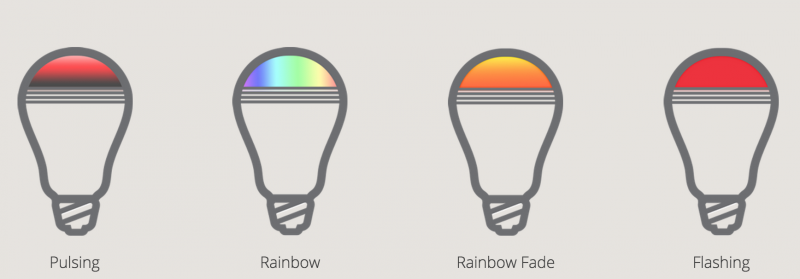
The basic effects offered for most of Playbulb’s lights include Flash, Pulse, Rainbow, Rainbow F and Candle. Flash gives you a bit of a disco effect, flashing the color of your choice on a sliding speed scale. Pulse will increase and decrease the intensity of the light, customizing color and speed. Rainbow will rotate the light across the color wheel, while Rainbow F does the same with a fading effect. The Candle effect makes the light flicker, but only works with the Candle and Garden bulbs. Playbulb’s app is a single point of control for all its bulbs, so the Candle effect appears as an option for the Color and Rainbow bulbs even though the function can’t be used – this was another point of confusion that could be eliminated with an improved app interface and info buttons.
One fun option for the music-playing Color bulb is the ability to set the light effects to the beat of the music, another party-ready feature. It’s important to note, however, that activating the bulb’s speaker requires a return to your smartphone settings and hitting “connect” on the second Color bulb that appears in your Bluetooth menu.
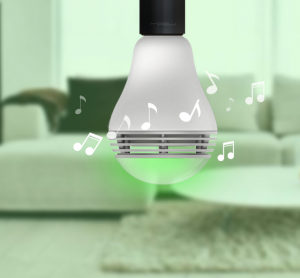
Playbulb Color with speaker
Playbulb lights are also dimmable, to set intensity on any color but not for every effect. The dimming option is also how you turn the light off – just dim it all the way down. Unfortunately there’s no obvious way to simply toggle the light on/off as you would with a light switch.
The notable features of Playbulb’s lineup include a Timer for scheduling light actions. You can set a Wake alarm for the bulb, and choose the color and duration of the alarm. The duration setting determines the amount of time the alarm functions, increasing the light intensity over that time. With the speaker-ready Color bulb, you can choose to include music with the alarm, customizing the wake volume and if you want the music volume to increase along with the light brightness.
The Sleep feature lets you set a time to turn the light off, which will decrease the light intensity over a duration of time you set.
You can also set two Custom switches for turning the light on and off, essentially programming the lamp for certain times.
The Scenes feature lets you upload images to the Playbulb app and use the eyedrop tool to select an exact hue for a bulb’s custom color. Sadly I saw no color changes when selecting hues from any image.
The Security features of Playbulb smart lights concern when a light can be turned on or off, and at what intervals. There’s also the option to set a password for the Bluetooth connectivity.
Overall I like every product in Playbulb’s lineup, the Color light being my favorite because of the speaker integration. For better or worse, the Playbulb does not support Wi-Fi connectivity, which means it can’t easily be hacked and controlled by others, but also means you can’t remotely control the lights when away from home. This was a perk for me, because my husband often finds it an amusing pastime to control Wi-Fi lights in the house when he’s out of town, which really freaks me out.
But because Playbulb lights can only be controlled within about 30 feet of each device, I wouldn’t recommend Playbulb products for a full automation suite to simulate the presence of being home while vacationing, or for vacation homes. The programmable settings just don’t seem extensive enough for this. I would, however, recommend Playbulb lights for parties, everyday use, as night lights, or a general way to set the mood.
Support our mission to keep content open and free by engaging with theCUBE community. Join theCUBE’s Alumni Trust Network, where technology leaders connect, share intelligence and create opportunities.
Founded by tech visionaries John Furrier and Dave Vellante, SiliconANGLE Media has built a dynamic ecosystem of industry-leading digital media brands that reach 15+ million elite tech professionals. Our new proprietary theCUBE AI Video Cloud is breaking ground in audience interaction, leveraging theCUBEai.com neural network to help technology companies make data-driven decisions and stay at the forefront of industry conversations.