 APPS
APPS
APPS
APPS
APPS

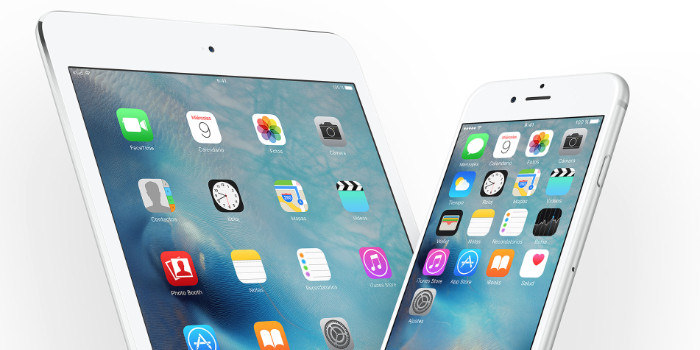
Following a long beta, the iOS 10.2 beta was seeded to developers at the end of October, Apple Inc. has released iOS 10.2 to all iPhone and iPad users.
The iOS 10.2 update is available as an over-the-air update via the Settings app > Software Update. It can also be installed with iTunes on a connected Mac or personal computer.
Here are the main changes that make up the iOS 10.2 update, including among other things a new TV app, extra emojis and notifications for various HomeKit accessories:
In iOS 10.2, users can now preserve their camera settings, including the last Camera Mode, Photo Filter, or Live Photo setting. This stops the Camera app defaulting to the original settings each time it is opened.
To access the Preserve Settings feature, open the Settings app > Photos & Camera > under camera, tap Preserve Settings > enable which camera settings you want to preserve.
The TV app that Apple demoed at its MacBook Pro event in October is now included with iOS 10.2. Users in the U.S. can access the movies and TV shows they own via the app.
Apple has also rolled out Single Sign-On support for participating cable providers, including Dish, Sling TV, DirecTV, CenturyLink Prism, and GVTC. Users are able to sign in once on their Apple TV, iPhone and iPad and get access to their pay-TV subscription content.
There is also a new TV Provider option in the Settings app where users can enter their login credentials. These details will be provided automatically to streaming video apps that require a cable subscription.
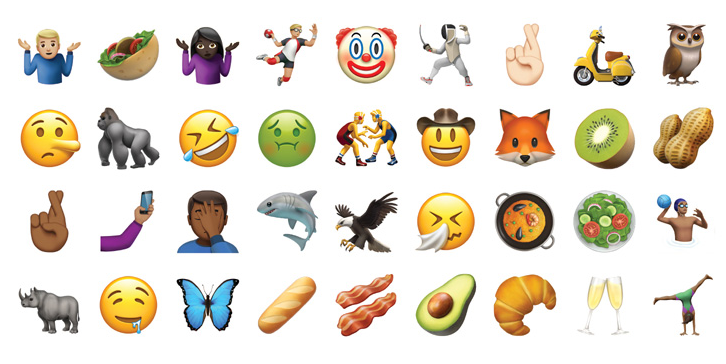
Users will also get to enjoy hundreds of new emojis in iOS 10.2, including more diverse characters, new professions, expressions like face palm, shrug and fingers crossed, new foods like bacon and avocado and many more.
New wallpaper options are available for iPhone 7 and 7 Plus owners. Options include water droplets in blue, pink and yellow that move with the phone when the “perspective” option is selected.
In iOS 10.2 Apple HomeKit gets additional smart home notifications, allowing users to receive notifications for a variety of HomeKit accessories, including window coverings, occupancy, motion, door and window detectors, smoke, carbon monoxide and water leak sensors.
HomeKit notifications are automatically enabled once you have installed iOS 10.2. To enable or disable HomeKit notifications, open Apple’s Home app > select the relevant device with a firm press (3D Touch devices) or long press (non-3D Touch devices) > tap the “Details” button > Status and Notifications > decide whether you want to receive a notification every time a sensor is triggered.
The iOS 10.2 update also allows HomeKit accessories to send notifications to your device when it needs to be updated.
Image credit: iphonedigital; Flickr
Support our mission to keep content open and free by engaging with theCUBE community. Join theCUBE’s Alumni Trust Network, where technology leaders connect, share intelligence and create opportunities.
Founded by tech visionaries John Furrier and Dave Vellante, SiliconANGLE Media has built a dynamic ecosystem of industry-leading digital media brands that reach 15+ million elite tech professionals. Our new proprietary theCUBE AI Video Cloud is breaking ground in audience interaction, leveraging theCUBEai.com neural network to help technology companies make data-driven decisions and stay at the forefront of industry conversations.