Many thought that Dell was done with the whole mobile sector after several failed attempts on both the Android and Windows Phone platforms. But the market continues to trend towards mobile, and despite Dell’s efforts in rebuilding its expertise in logistics around enterprise services, the famed PC maker remains interested in manufacturing mobile devices.
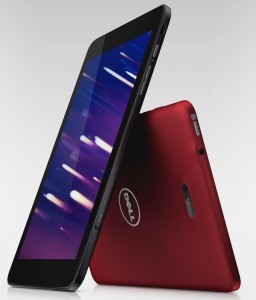
Most recently, Dell launched four new tablets the Dell Venue 7, Venue 8, Venue 8 Pro, and the Venue 11 Pro. The Dell Venue 7 and 8 are Android-based tablets while the 8 Pro and 11 Pro are Windows Pro-based.
The tablets are looking fine and might help put Dell back in the mobile market race.
“Dell appears to have its innovative mojo back,” said Tim Bajarin, President of Creative Strategies. “These new products clearly emphasize Dell’s commitment to create innovative mobile solutions for businesses and consumers and I believe represent some of the best products they have made in many years.”
For this round of comparisons, we’ll be pitting the Dell Venue 11 Pro with other full size tablets available in the market.
 Dimension
Dell Venue 11 Pro: Height 280mm x Width 177mm x Depth 10.2mm – 15.4mm (based on model), Weight starts at 726g
Kindle Fire HDX: Height 231 X Width 158 X Depth 7.8mm, Weight WiFi 374 grams, 4G 384 grams
Surface Pro 2: 10.81” x 6.81” x 0.53”, Weight 2 lbs
iPad with Retina Display: 9.5” x 7.31” x 0.37”, 1.44 lbs for the WiFi only version and 1.46 lbs for the WiFi + Cellular version.
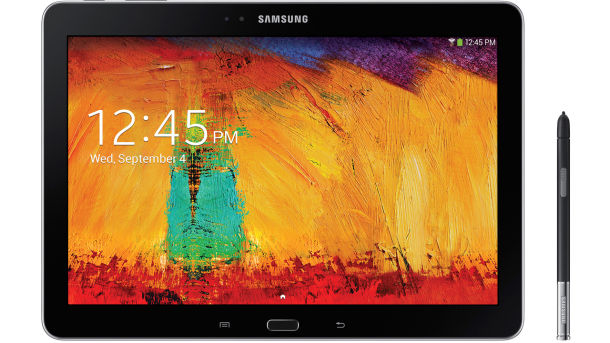
Galaxy Note 10.1(2014): 243.1 X 171.4 X 7.9mm, weighing 535g for the WiFi Version.
Dell Venue 11 Pro: 10.8 inch IPS Display with FHD (1920 x 1080) resolution with 10-pt capacitive touch
Kindle Fire HDX: 8.9″ display with 2560×1600 resolution and the best pixel density at 339 ppi, 100 percent sRGB for perfect color display
Surface Pro 2: 10.6″ ClearType Full HD display, 1920 x 1080p, 16:9 (widescreen), 10-point multitouch
iPad with Retina Display: 9.7‑inch (diagonal) LED-backlit Multi‑Touch display with IPS technology, 2048 x1536 resolution at 264 pixels per inch (ppi), Fingerprint-resistant oleophobic coating
Galaxy Note 10.1(2014): 10.1-inch WQXGA (2560 X 1600) Super clear LCD
 Dell Venue 11 Pro: Consumers can choose from a number of available processors such as the Intel Atom processor Z3770 (2MB Cache, up to 2.4GHz Quad-Core), Intel Pentium 3560Y processor (2MB Cache, 1.2 GHz Dual -Core), Intel Core i3 4020Y processor (3MB Cache, 1.5 GHz Dual -Core), Intel Core i5 4210Y processor (3MB Cache, 1.5 GHz Dual -Core), or Intel Core i5 4300Y processor (3MB Cache, 1.6 GHz Dual -Core)
Kindle Fire HDX: Quad-Core 2.2 GHz
Surface Pro 2: Fourth generation Intel Core i5 processor that delivers faster performance and 75 percent more battery life
iPad with Retina Display: Dual-core A6X with quad-core graphics
Galaxy Note 10.1(2014): 1.9GHz Octa-core processor for the 3G /WiFi version and 2.3GHz Quad-core processor for the LTE version
Dell Venue 11 Pro: Windows 8.1
Kindle Fire HDX: Fire OS 3.0 “Mojito” on top of Android
Surface Pro 2: Windows 8.1
iPad with Retina Display: iOS 6 upgradable to iOS 7
Galaxy Note 10.1(2014): Android 4.3 Jelly Bean, Magazine Style UX
Dell Venue 11 Pro: 32/64/128/256GB, 2GB DDR3 1333MHz Memory, 4GB or 8GB DDR3 1600MHz Memory
Kindle Fire HDX: 16/32/64GB, 2GB of RAM
Surface Pro 2: 64GB and 128GB with 4GB of RAM, 256GB and 512GB with 8GB RAM
iPad with Retina Display: 16/32/64/128GB
Galaxy Note 10.1(2014): A choice of 16/32/64GB Internal Memory that can be upgraded with a microSD to up to 64GB; 3GB RAM
Dell Venue 11 Pro: 30Whr or 37Whr9 swappable battery
Kindle Fire HDX: 12 hours mixed use, 18 hours when reading
Surface Pro 2: 42 W-h
iPad with Retina Display: Built-in 42.5-watt-hour rechargeable lithium-polymer battery, up to 10 hours of surfing the web on Wi‑Fi, watching video, or listening to music, charging via power adapter or USB to computer system, Up to 10 hours of surfing the web on Wi‑Fi, watching video, or listening to music, up to 9 hours of surfing the web using cellular data network
Galaxy Note 10.1(2014): Standard Li-ion 8,220mAh battery
Dell Venue 11 Pro: 2MP HD Webcam (front), 8MP (back)
Kindle Fire HDX: 720p HD front-facing camera + 8MP rear-facing camera
Surface Pro 2: Rear and front 720p cameras
iPad with Retina Display: 1.2MP FaceTime, 5MP iSight
Galaxy Note 10.1(2014): 8MP rear camera with BSI sensor, Auto Focus Camera with LED Flash, Zero Shutter lag, plus a 2MP front camera with BSI sensor
 Dell Venue 11 Pro: One Full size USB3.0, one Headphone and microphone combo jack, one micro HDMI
Kindle Fire HDX: No information yet
Surface Pro 2: Full-size USB 3.0, MicroSDXC card slot, Headset jack, Mini DisplayPort, Cover port
iPad with Retina Display: 3.5-mm stereo headphone minijack, microSIM tray
Galaxy Note 10.1(2014): microUSB, microSIM tray, microSD, 3.5mm audio jack, S Pen slot
Dell Venue 11 Pro: Starts at $499.99, available on October 15, 2013 at www.dell.com
Kindle Fire HDX: Starts at $379, available in November 7, 2013
Surface Pro 2: Starts at $899, Available in retail stores on October 22, 2013
iPad with Retina Display: Starts at $499, Available in Apple Stores, online, on Carriers networks and some partner retail stores.
Galaxy Note 10.1(2014): Available in October on AT&T, Sprint, T-Mobile, Verizon and US Cellular, no price yet.
Dell Venue 11 Pro: Micro-SD Card Reader, NFC capable, has stereo speakers with SRS premium audio and adaptive noise cancellation dual microphone. It’s a 2-in-1 tablet.
Kindle Fire HDX: Accessibility features such as Screen Reader, Explore by Touch, and Screen Magnifier. Dolby Audio, Dual Stereo Speakers. Mayday button for quick tech support from Amazon experts.
Surface Pro 2: Free Skype calling to landlines in more than 60 countries, unlimited Skype WiFi at more that 2 million hotspots worldwide for one year, 200GB of free SkyDrive storage for two years, comes with a Surface Pen that is pressure sensitive, built-in microphone, stereo speakers with enhanced signal processing; includes apps such as Mail, Calendar, People, Internet Explorer 11, Photos, Music, Video, Games, Skype, Fresh Paint, Calculator, Reading List, Reader, Scan, News, Weather, Sports, Travel, Finance, Health & Fitness, Food & Drink, Help, Camera, SkyDrive, Sound Recorder and more.
iPad with Retina Display: Built-in speaker, Microphone, Wi‑Fi, Digital compass, Assisted GPS and GLONASS, Cellular; comes with apps such as Safari, Mail, Messages, Photos, FaceTime, Newsstand, App Store, iTunes, Videos, Maps, Music, Game Center, Photo Booth, Clock, Contacts, Reminders, Calendar, Notes, Camera.
Galaxy Note 10.1(2014): Multi Window allows users to run separate instances of the same application, and use an enhanced S Pen to drag and drop content from one window to another. It also has a Pen Window that enables users to simply draw a window of any size on the screen, and instantly access unique in-application features such as YouTube or the calculator. The button on the side of the S Pen gives you a quick access to 5 useful S Pen features which are: Action Memo, Scrapbooker, Screen Writer, S Finder and Pen Window. Easy access to Samsung KNOX for added security and privacy.
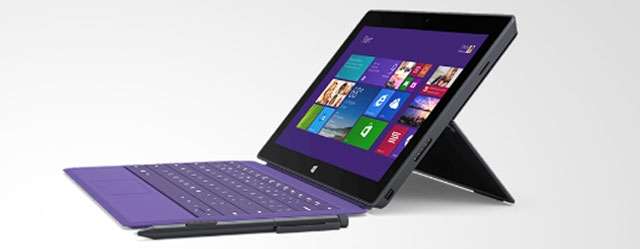
If you’re looking for a tablet-netbook combo, you should consider getting a Surface Pro 2 or the Dell Venue 11 Pro. It will give you the flexibility to work on the go, featuring the ability to prop it up on your desk when you’re at work or at home.
If you’re just looking for something to keep you entertained with movies, videos, ebooks and games, then the iPad, Kindle Fire HDX and the Note 10.1 may be your best options.
When purchasing a new tablet, always consider its purpose so you won’t waste money on something that can’t help you accomplish your goals, whether they’re for business productivity or entertainment.
Support our mission to keep content open and free by engaging with theCUBE community. Join theCUBE’s Alumni Trust Network, where technology leaders connect, share intelligence and create opportunities.
Founded by tech visionaries John Furrier and Dave Vellante, SiliconANGLE Media has built a dynamic ecosystem of industry-leading digital media brands that reach 15+ million elite tech professionals. Our new proprietary theCUBE AI Video Cloud is breaking ground in audience interaction, leveraging theCUBEai.com neural network to help technology companies make data-driven decisions and stay at the forefront of industry conversations.