 APPS
APPS
APPS
APPS


APPS

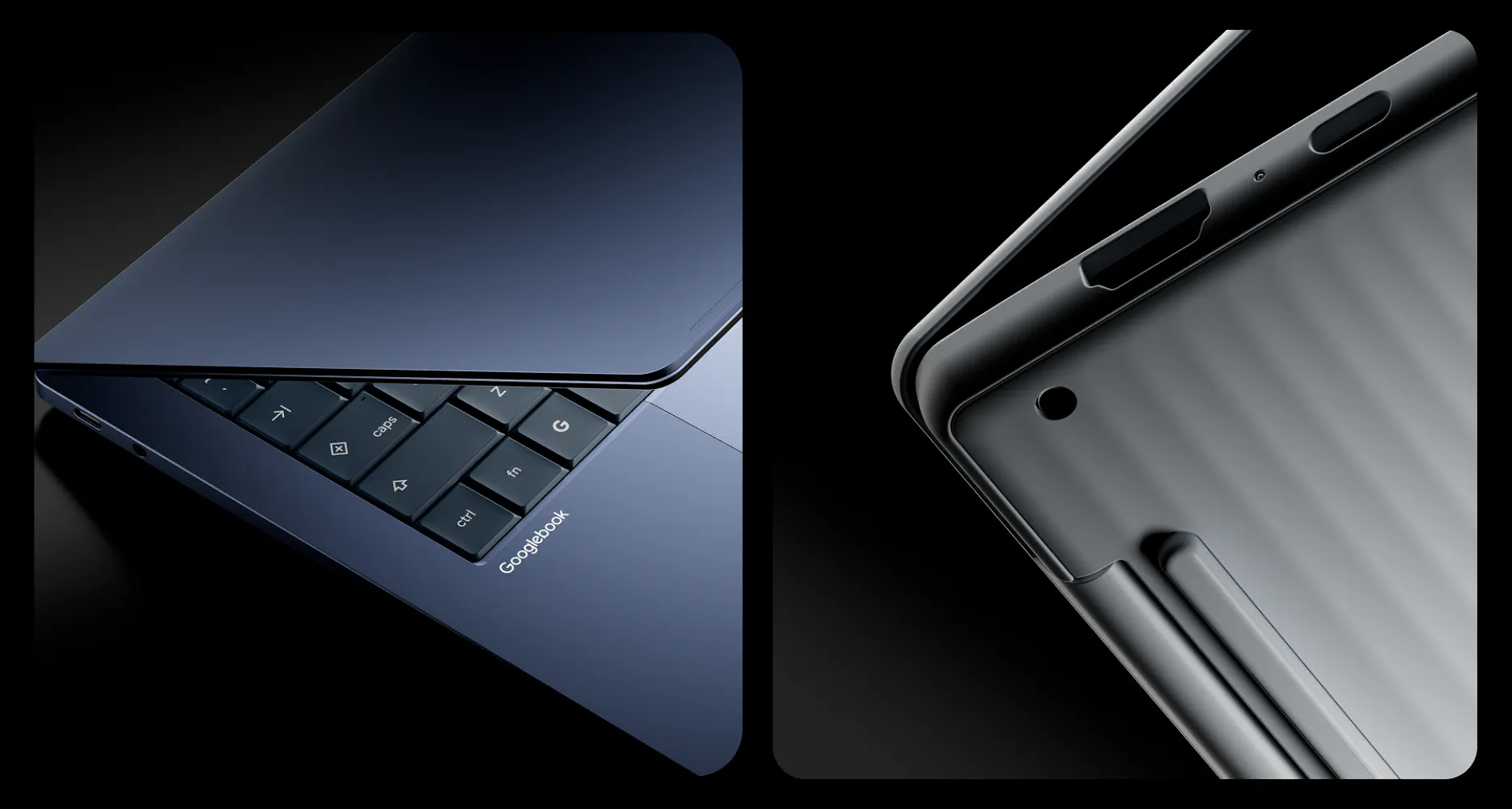
Google LLC today announced the launch of its Googlebook lineup, a new family of lightweight, higher-power laptops in the Chromebook legacy that feature artificial intelligence and can run Android apps and ChromeOS.
Googlebooks bring the company’s flagship Gemini AI assistant to the forefront and pair directly with the Android ecosystem out of the box. This allows users to move between their smartphone and laptop without pausing.
The first devices will launch from Acer, ASUS, Dell, HP and Lenovo starting at $899. All Googlebook models support backlit keyboards, 2.8K OLED displays, haptic glass keypads and a premium processor from Intel Corp. or Qualcomm Inc. paired with a neural processing unit capable of more than 45 trillion operations per second for local AI inference.
The baseline memory for the new laptops is 16 gigabytes, with some models offering up to 32 gigabytes. The battery will provide up to 14 hours of video playback and 16 hours of web browsing for a reasonably full day of portability.
Googlebooks are the prosumer evolution of the Chromebook, and the company said it will keep developing the notebook-style lineup of devices. All of the horsepower under the hood of this new laptop format is aimed at driving AI and productivity.
Front and center, Google changed the keyboard to include keys that make it easy to summon Gemini Intelligence, the onboard and cloud-based AI assistant.
Now, users can also use on-screen gestures to activate Gemini with “Magic Pointer.” Wiggling the mouse pointer activates the assistant, letting users interact with the AI immediately. For example, a user could point it at a long-winded notepad filled with dates and events and ask Gemini to update the user’s calendar; point it at a website or document and ask it to translate it; or point it at multiple windows and ask it to summarize the information.
Located next to the Quick Insert key, Rambler turns long-winded spoken audio into organized, clear writing that users can maintain for later or share with others. Users can simply brain dump out loud whatever they are thinking and then Rambler will structure them into something sensible and readable with clean headers, checklists and formatted takeaways.
Google Antigravity, the company’s agentic software development platform, is now integrated into Googlebook. This opens up the potential for users to control their own experience using AI. Users can now customize their desktop by describing what they want on it in plain language, including Create My Widget. This new feature will generate custom widgets that sit on the desktop that can share updates and information throughout the day.
The above experience is “speak your mind and get your app,” but Google isn’t leaving out developers.
High-touch software engineers and technical users can use Antigravity and Claude Code directly on Googlebooks to create their own apps and widgets using command line terminal for serious coding. This will allow developers to build, test and deploy apps right on their device.
Google has leaned entirely into mobile-to-desktop connectivity with Googlebooks, something the company started with Chromebooks and ChromeOS.
With Continue On, users can pick up where they left off on their Android mobile devices. App developers will be able to have experiences that run on mobile move their context from smartphones to Googlebook right from the taskbar. This lets users lock their phone, step out of their car, sit down at their desk, and find the app ready where they left off.
In the past, users struggled to find files. Connecting between local and mobile meant sending files via email or Bluetooth; now mobile files display as if they’re local in Googlebook’s Files app. This allows users to search and open files directly from the phone.
Finally, Googlebooks has Cast My Apps, allowing apps to run directly on a phone, streaming on the laptop in a desktop window without interruption. There’s no need to pick up the phone; users can just open a window and run an app as if it were on the phone itself, with a desktop experience.
Pre-orders for the devices are now available on the Google Store, Best Buy and other select retailers. Devices will arrive on shelves on Oct. 4 in the United States and Oct. 5 in Canada, the United Kingdom, Ireland, France, Germany and Australia.
Support our mission to keep content open and free by engaging with theCUBE community. Join theCUBE’s Alumni Trust Network, where technology leaders connect, share intelligence and create opportunities.
Founded by tech visionaries John Furrier and Dave Vellante, SiliconANGLE Media has built a dynamic ecosystem of industry-leading digital media brands that reach 15+ million elite tech professionals. Our new proprietary theCUBE AI Video Cloud is breaking ground in audience interaction, leveraging theCUBEai.com neural network to help technology companies make data-driven decisions and stay at the forefront of industry conversations.