















 NEWS
NEWS
NEWS
NEWS
NEWS

Carrying your iPhone with you when you are out on a run can be annoying and not always convenient. With the latest update to the popular Runkeeper app, you can now leave your phone at home, as long as you have an Apple Watch.
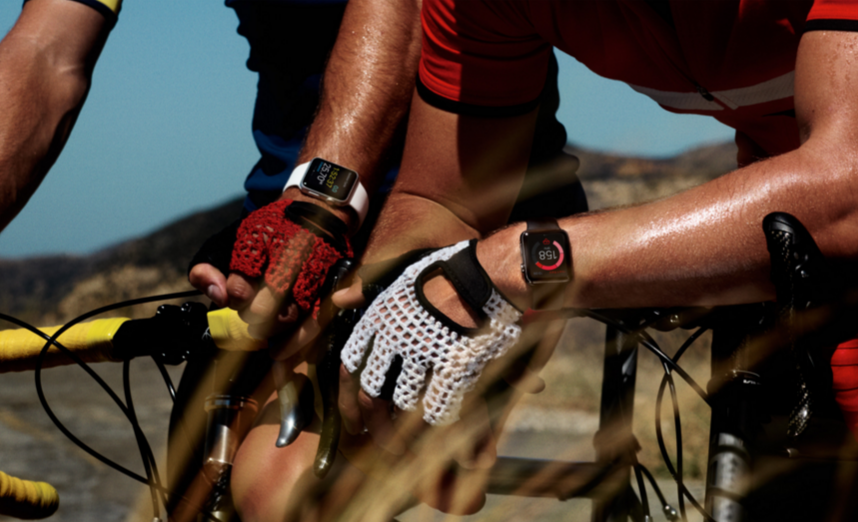
Using your Apple Watch, you can easily track your workout on your wrist while your phone sits at home or in the car.
Tracking your workout on Apple Watch is simple. Open the app and select whether you are going for a run, walk, cycle or other. Give the necessary app permissions so they app can access the data stored in the iPhone’s central Health app, and you are ready to start your workout.
Like the iPhone app, you will be able to track the distance you cover, the time it takes to cover the distance as well as how many minutes it takes per mile. In addition, you will still be able to track your heart rate for your entire activity.
With the latest version of Runkeeper (6.2), Watch and iPhone users will be able to enjoy the new post-run music analytics feature to see which songs got you working harder while out on your run. The feature allows you to see your full playlist and how your pace compares for each song. The feature works with Spotify, iTunes and Runkeeper DJ. You will also be able to check out which songs your Runkeeper friends are listening to and see if they can up your pace too.

Runkeeper on watchOS 2 let’s you leave your iPhone at home, image via Runkeeper
While you will have the convenience of tracking your distance, time and heart rate directly on your wrist, without requiring your iPhone, what is lacking in the Watch app is the ability to track your route.
One of the main features of the iPhone version of Runkeeper is the ability to see where you have been and where you are going, thanks to the iPhone’s GPS. This feature though will not be possible with the GPS-lacking Apple Watch.
This may not be a problem if you run a route that you are familiar with, but if you are in unknown territory or are merely addicted to the route info, then this is likely a feature that you will miss, and, unfortunately, you will have to continue to be attached to your phone.
The latest version of Runkeeper is available for download in the App Store.
Support our mission to keep content open and free by engaging with theCUBE community. Join theCUBE’s Alumni Trust Network, where technology leaders connect, share intelligence and create opportunities.
Founded by tech visionaries John Furrier and Dave Vellante, SiliconANGLE Media has built a dynamic ecosystem of industry-leading digital media brands that reach 15+ million elite tech professionals. Our new proprietary theCUBE AI Video Cloud is breaking ground in audience interaction, leveraging theCUBEai.com neural network to help technology companies make data-driven decisions and stay at the forefront of industry conversations.